Netrix: Understanding your network privacy
Netrix is a network information tool that shows you what websites and services can see about your connection. It detects your public IP, determines your location, identifies if you’re using a VPN or Tor, and assesses potential privacy leaks.
What It Shows You
When you connect to the internet, servers see information about your connection. Your public IP address, your approximate location based on that IP, your ISP, and sometimes details about your network setup. Netrix gathers this information and presents it in one place.
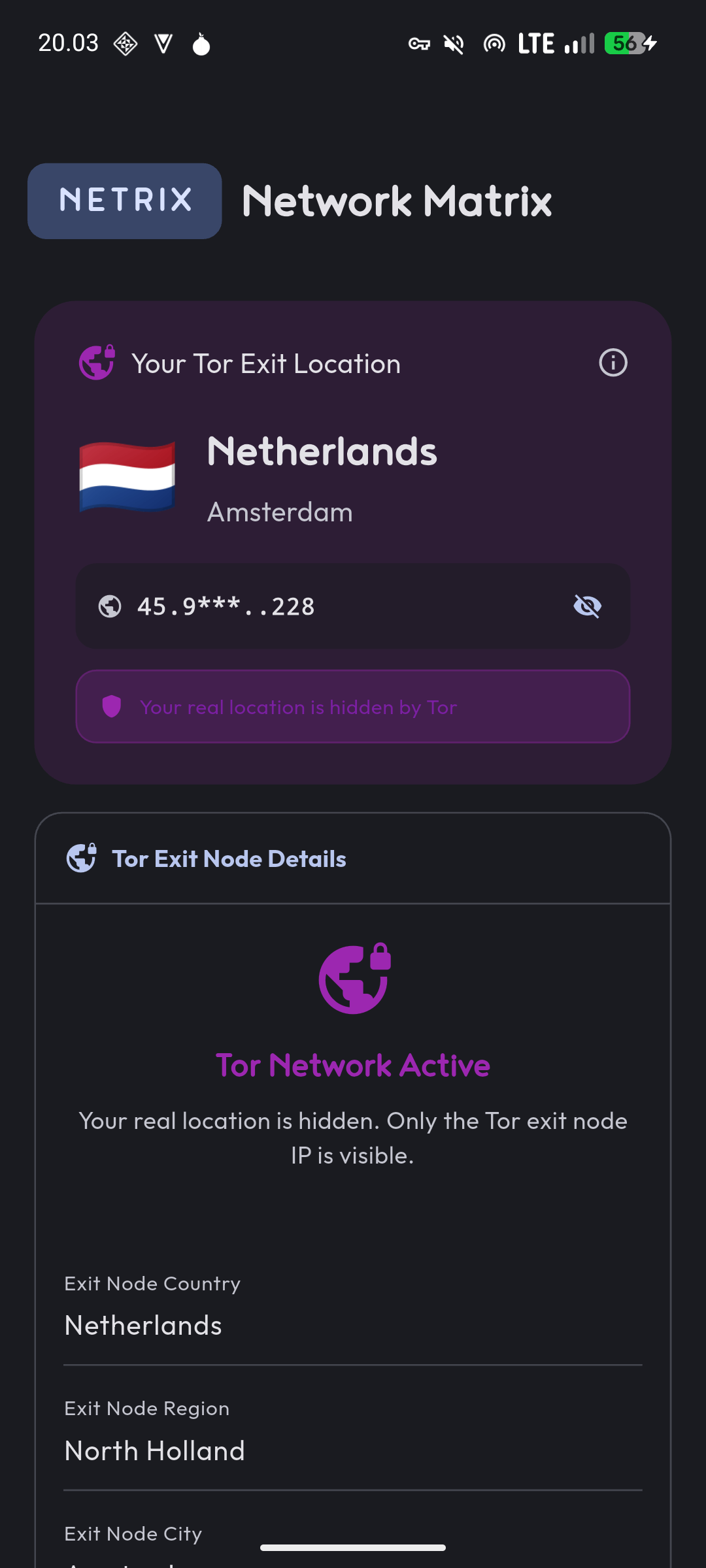
The app checks if you’re using a VPN or Tor network by analyzing your connection characteristics. It examines your ISP name, organization details, and compares them against known patterns for VPN providers and Tor nodes. This helps verify that your privacy tools are actually working.
Local network information shows your device’s interfaces, local IP addresses, and connection details. This is useful for troubleshooting network issues or understanding your local network setup.
Why This Exists
VPNs and Tor are supposed to hide your real IP and location. But sometimes they leak information through DNS queries, WebRTC, or misconfiguration. Sometimes they don’t connect properly and you think you’re protected when you’re not.
Netrix tells you what the internet actually sees. If you’re using a VPN and the app shows your real location, something’s wrong. If it detects a VPN provider when you expect it to, your connection is working as intended.
This isn’t a comprehensive privacy audit tool. It won’t catch every possible leak or vulnerability. But it handles the basics: confirming your IP is what you expect, verifying VPN/Tor detection, and showing your general network status.
How Detection Works
VPN detection analyzes several characteristics. It looks at your ISP name and organization for patterns that match known VPN providers. Terms like “VPN,” “Proxy,” or specific provider names trigger detection. The app also checks if your connection comes from a hosting provider rather than a residential ISP, which often indicates VPN or proxy use.
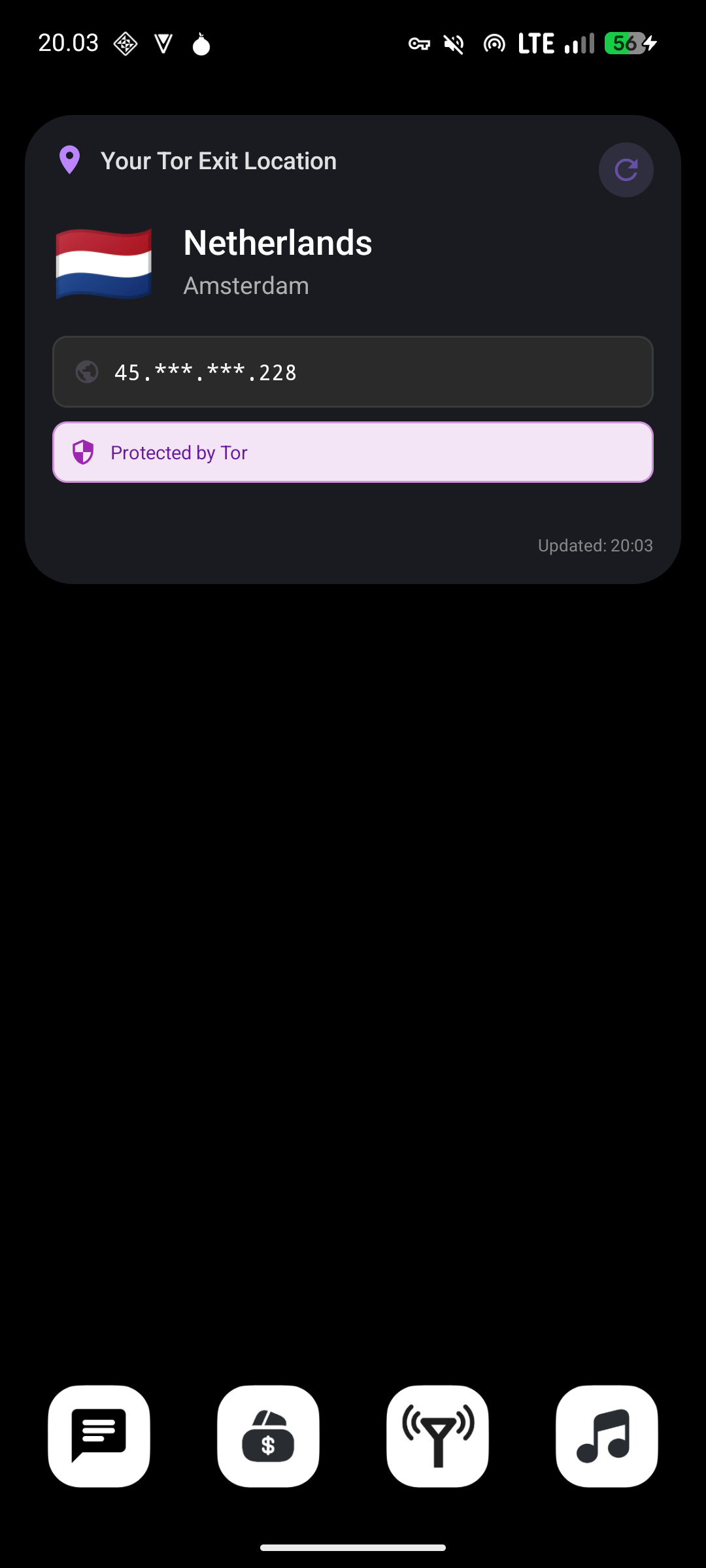
Tor detection works similarly. It checks organization names for Tor-related identifiers, validates against the Tor Project’s API when available, and compares your connection against a database of known Tor network ASNs (Autonomous System Numbers).
These methods aren’t perfect. Some VPNs don’t advertise themselves in their ISP information. Some residential ISPs might trigger false positives if their naming happens to match common patterns. But the combination of checks catches most standard VPN and Tor usage.
Screenshots
Custom IP Lookup Providers
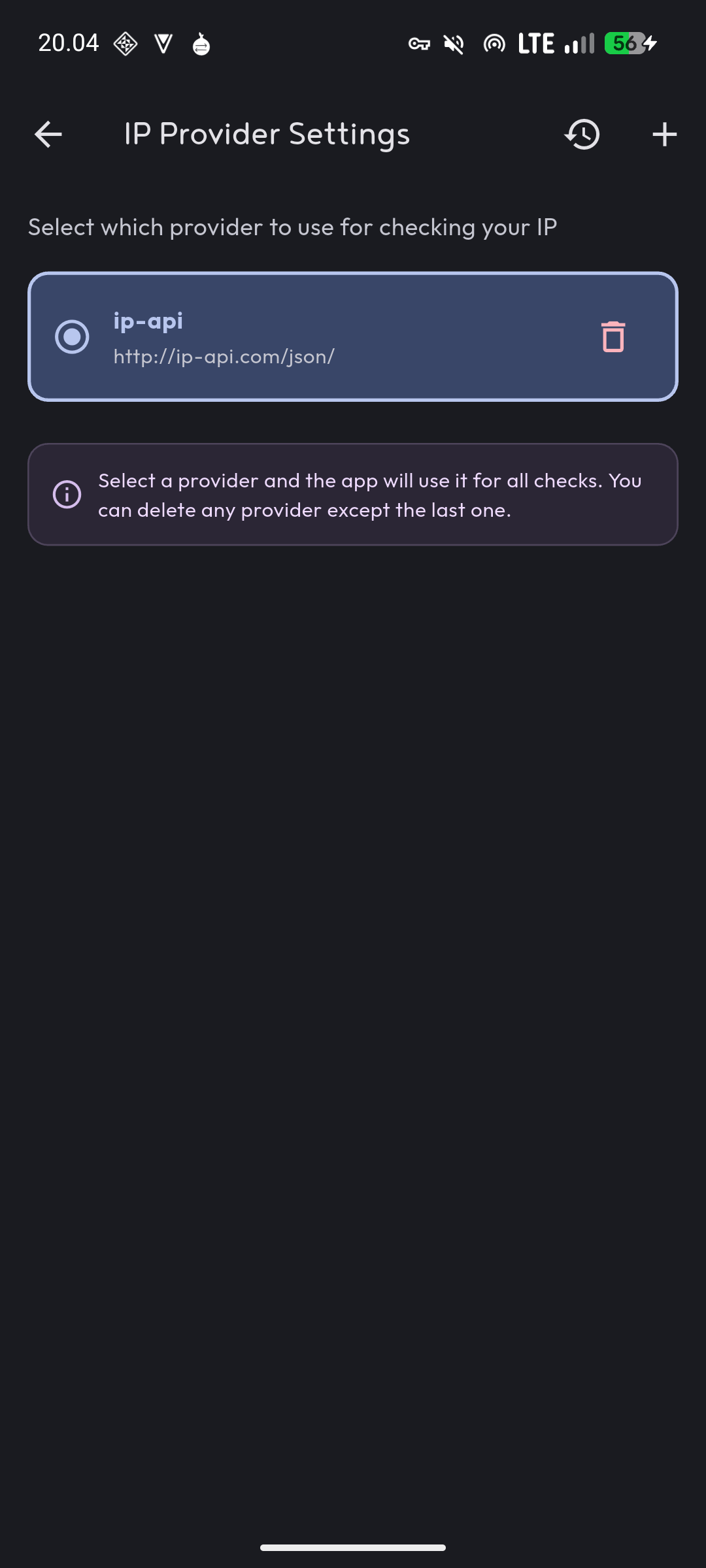
The app uses third-party IP lookup services to gather network information. By default, it includes several reliable providers. You can add your own if you prefer different services or need specific information those services provide.
Custom providers let you query APIs that return specialized data or that you trust more than the defaults. The app expects JSON responses with standard fields for IP, location, ISP, and organization information.
Adding a provider means specifying its API endpoint. The app handles the request and parses the response according to common JSON structures used by IP lookup services.
Privacy Approach
All processing happens on your device. The app makes requests to IP lookup services to gather information, but it doesn’t send your data to any servers I control. There’s no analytics, no tracking, no server-side logging.
The third-party IP lookup services you query will see your request and could log it. That’s inherent to how IP lookup works - you’re asking them to tell you information about your connection. Choose providers you trust or run your own IP lookup service if you want complete control.
Local network information comes directly from your device’s network interfaces. This data never leaves your device.
Platform Support
Netrix runs on Android, iOS, and web. The core functionality works identically across all platforms since network information gathering uses the same underlying principles regardless of platform.
Web deployment means you can check your network status from any browser without installing an app. The tradeoff is that browsers limit some local network information access for security reasons.
Technical Implementation
The app uses Flutter with Material Design 3 for the interface. Network requests go through the HTTP package. State management uses StatefulWidget with AutomaticKeepAliveClientMixin to maintain state during navigation. Local storage through SharedPreferences keeps your custom provider configurations.
The architecture keeps network logic separate from UI code. Detection methods live in dedicated functions that analyze response data and return detection results. This makes it easy to add new detection patterns or modify existing ones.
Using It
Launch the app and it automatically checks your network status. The main screen shows your public IP, location, ISP, and whether VPN or Tor is detected. Pull down to refresh or tap the refresh button to recheck.
Access provider settings to add or remove IP lookup services. The app cycles through available providers to cross-reference information and improve detection accuracy.
Local network information appears in a separate section showing your device’s network interfaces and addresses.
What’s Next
Detection patterns could expand to cover more VPN providers and edge cases. The current patterns catch major providers and obvious hosting connections, but there’s always room for improvement.
Additional privacy checks might include DNS leak detection or WebRTC leak identification. These would require different approaches than simple IP lookup but would make the privacy assessment more comprehensive.
The web version could use additional browser APIs for gathering network information where available and permitted by browser security policies.
Download
The latest release is available on the GitHub releases page. The source code is in the same repository if you want to build it yourself or contribute improvements.
This is a tool for understanding what your network connection reveals. Use it to verify your privacy tools work correctly and to understand what information you’re broadcasting when you connect to the internet.